PowerShell: Restore a DNS zone in Active Directory
Beware of the copy-paste trap! Always test public code in a safe, isolated environment before running it in production.
The fast version
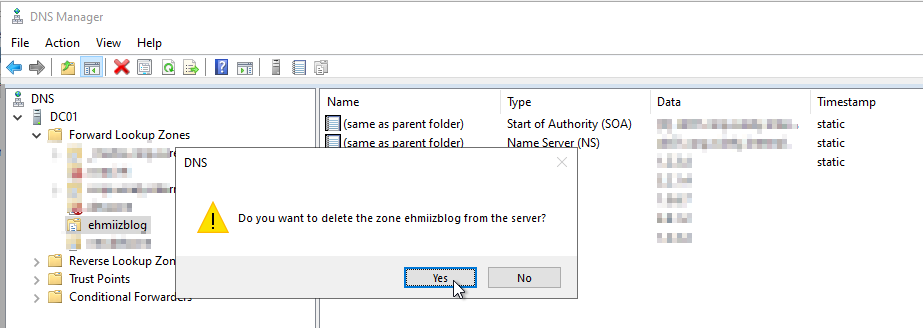
Did someone just remove a very important AD-integrated DNS forward lookup zone for you?
Hang tight, and i’ll show you how to get it back.
- Using Domain Admin access rights, have any type of elevated PowerShell session open with the
DNSServerandactivedirectorymodule imported - Open notepad and save the script below as “Restore-ADDNSZone.ps1” at any location
- .\Restore-ADDNSZone.ps1 -ZoneName ‘myzone.org’
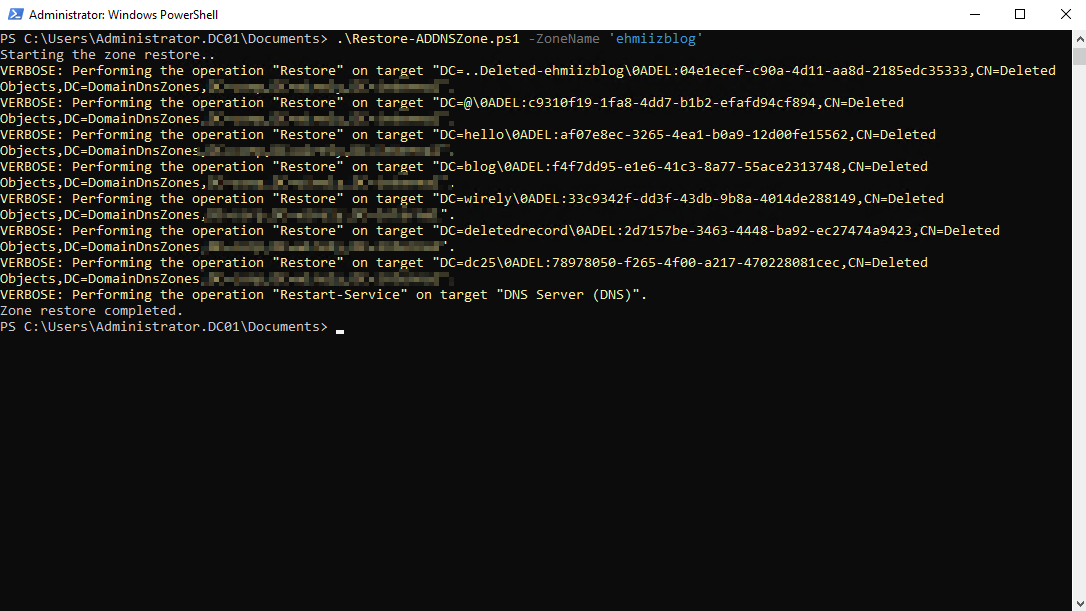
- If the zone was just deleted and the DC has access to the deleted zone objects, your zone will be restored. Verify by looking in DNS management.
If you’re not in a hurry, I recommend that you read what the script does first and test it in lab.
DNS Zone restore the simple way
I wrote a simple script to demonstrate how a DNS zone restore can be achived using the Restore-ADObject cmdlet:
- Importing Required Modules: Loads
ActiveDirectoryandDnsServermodules. - Setting Parameters: Allows specifying a DNS zone name, defaulting to “ehmiizblog”.
- Searching for Deleted Zone: Looks for the deleted DNS zone in known AD locations.
- Retrieving Deleted Records: Fetches resource records for the deleted zone.
- Restoring Zone & Records: Restores the DNS zone and its records to their original names.
- Restarting DNS Service: Restarts the DNS service to apply changes.
- Output Messages: Provides feedback on the restoration progress and completion.
Didn’t work, what now
If you have access to a backup of the DNS server, you can export a .dns file and rebuild the zone on the production server.
The steps below will vary largely on your situation, but it might give you an idea of the process:
Sidenote:Tthe “Above explained” points adds further explenation to the command we ran in the previous step.
- Connecto to the backup DC
- Export the zone using
dnscmd:dnscmd /ZoneExport zone.org zone.org_backup.dns - Attached a disk or storage device to the DC, mount it and moved the newly created zone data file
zone.org_backup.dns - Attached the disk to the PDC
- Copied the file to system32\dns
- Create the new zone using
dnscmd:dnscmd SERVER /zoneadd zone.org /primary /file zone.org_backup.dns- Above explained: Adds a zone to the DNS server.
dnscmd SERVER /zonereload zone.org- Above explained: Copies zone information from its source.
- This creates a non AD integrated DNS zone with resource records from the export
- Convert the zone from non-ad integrated into the AD integrated
dnscmd SERVER /zoneresettype zone.org /dsprimary- Above explained: Creates an active directory integrated zone.
References: